 ToonRGB
Turn a full chapter into a narrated recap video
ToonRGB is a native desktop studio that reads a webtoon chapter panel by panel — writing the narration, voicing it, and composing the recap. It runs on your own machine, with your own AI keys.
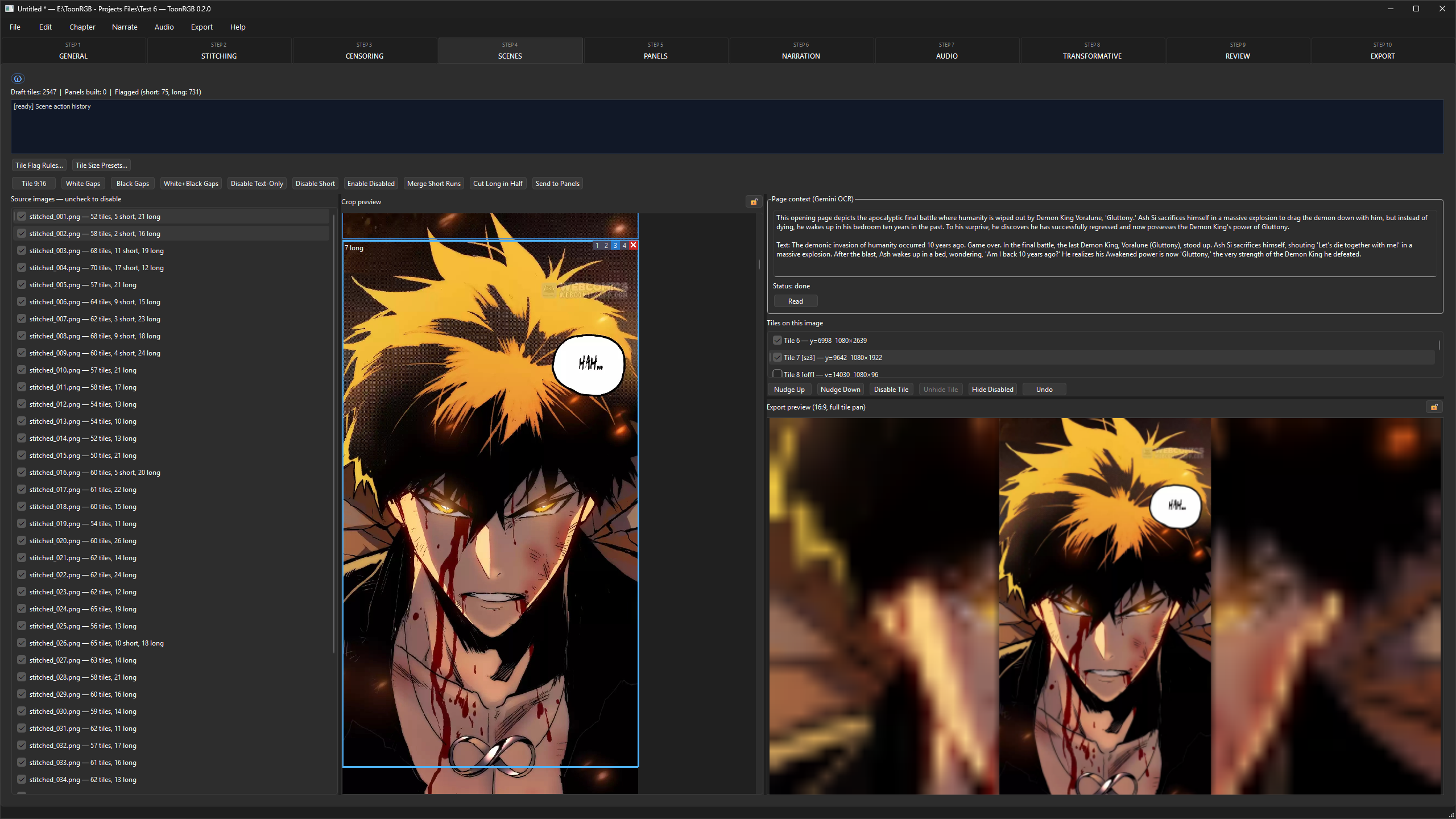
It catches the panels that shouldn't ship
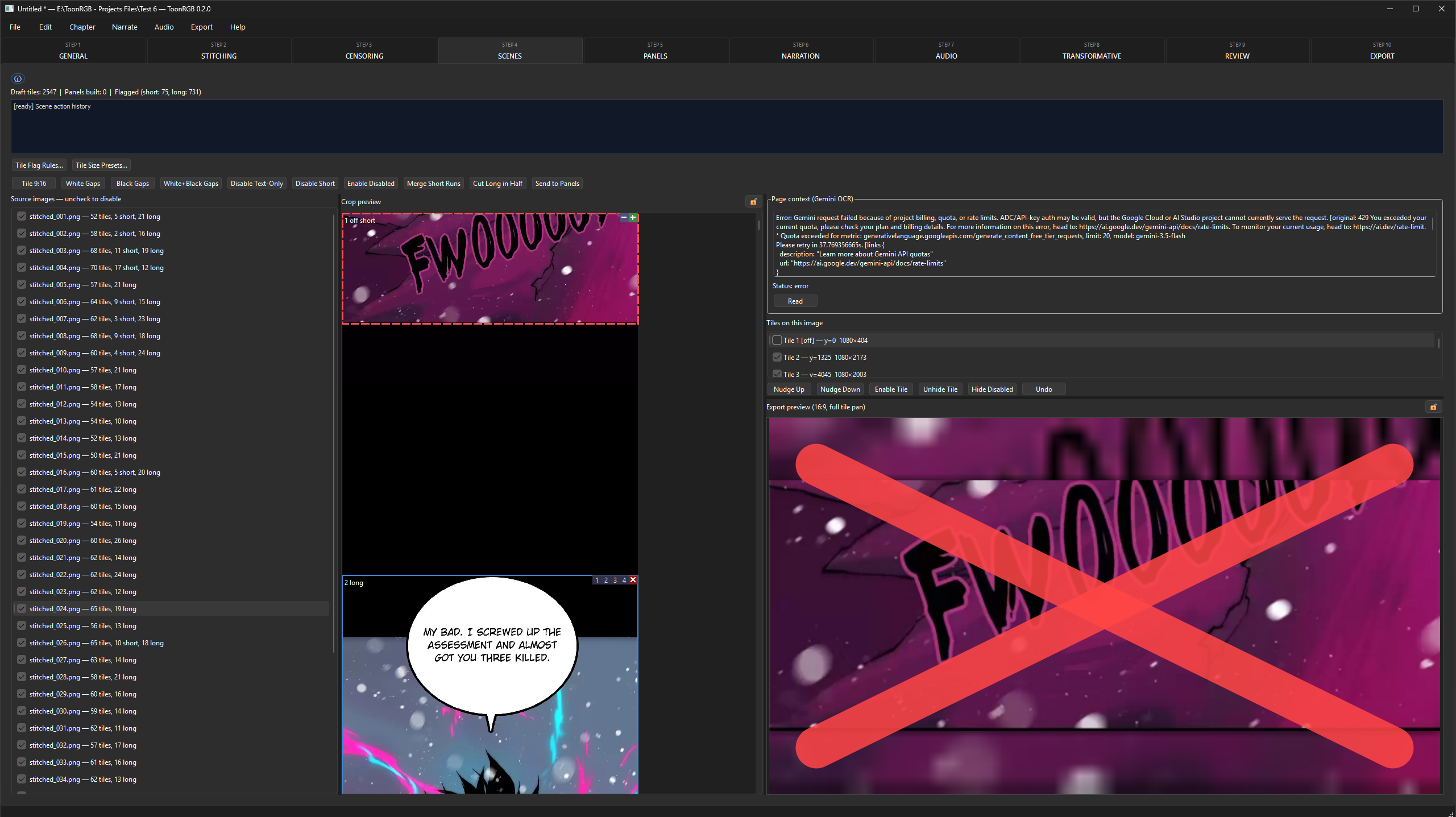
ToonRGB reviews every panel on your own machine — nothing gets uploaded — and flags the parts that don't read on video: full-page splashes, dead space, broken crops. The export preview then works around the flagged panels automatically, so what you watch in the app is exactly what renders out.
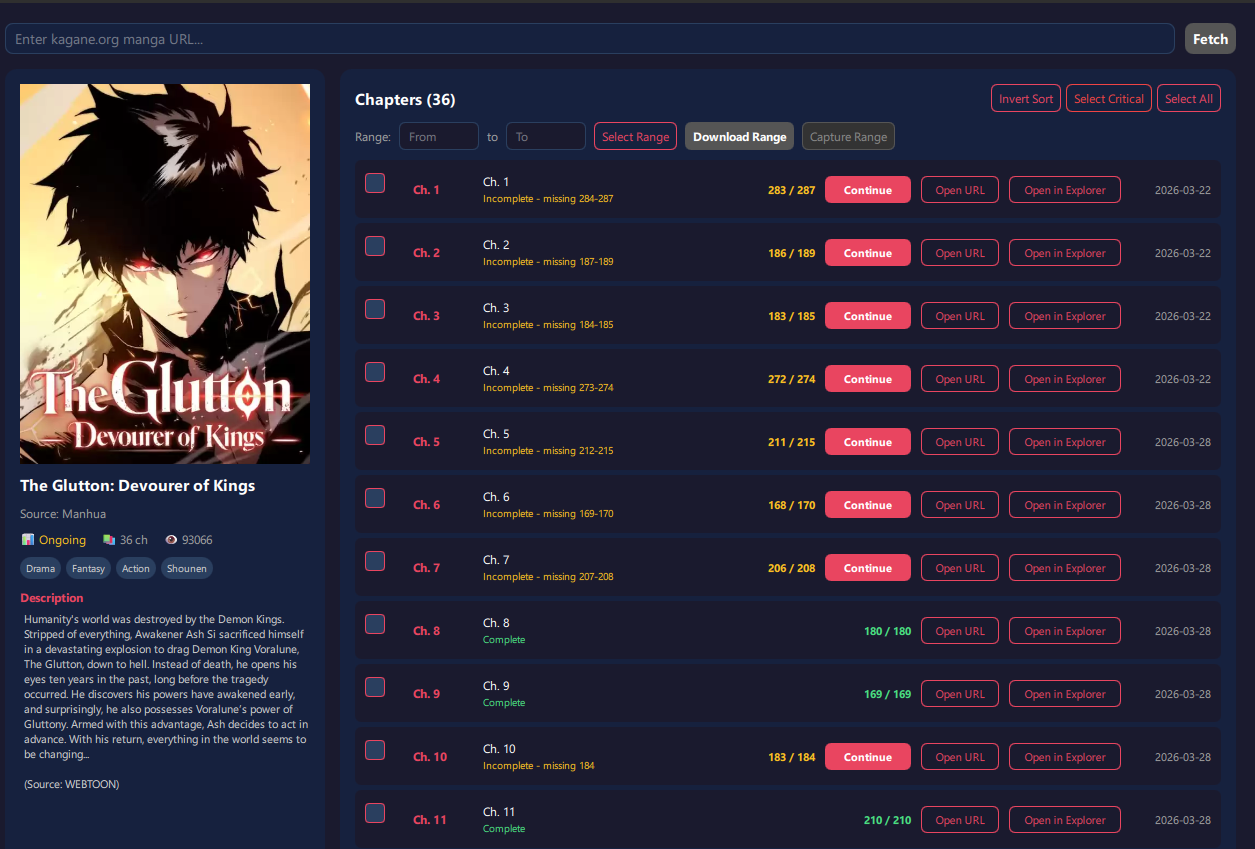
Start with the chapter, not the busywork
The ToonRGB Downloader is a separate app that ships alongside the studio: paste a series URL, pick the chapters you want, and pull them in as clean, ordered pages ready to segment. Keeping it standalone keeps the studio focused — and the whole workflow fluid.
Built for teams. Available on request.
ToonRGB is in a private release — we're onboarding studios and creator teams first.
Single seat
Not for sale yet
Individual licenses aren't open yet. Tell us your use case and we'll keep you posted.
Team · 2 seats and up
Contact for pricing
Priority onboarding, shared presets and direct support. Get a quote for your team.